From the watch workout that overlaps the session. Shown in the summary and in history.
Apple Watch and Health
Your watch tracks the body. Lift tracks the bar.
Start a strength workout on your Apple Watch the way you already do. When you finish in Lift, the heart rate, calories and duration from that watch workout appear on the session. No companion app, nothing new to remember.
Uses the built-in Workout appAverage and peak heart rateHealth data stays on the phone
How the match works
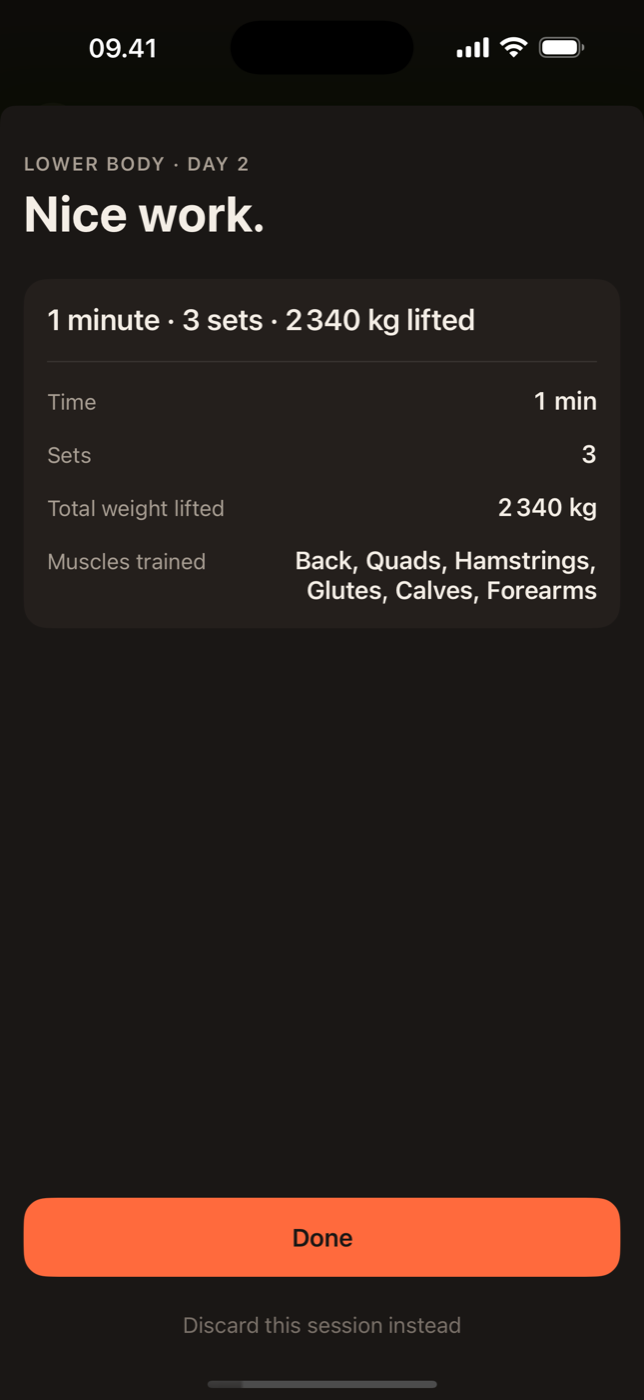
Lift does not run on the watch. Instead it asks Apple Health for the workout that overlaps your Lift session in time. When you end the session, Lift finds the matching watch workout, takes average heart rate, peak heart rate, active calories and duration, and shows them on the session summary and in history. If you forgot to start the watch, the session is still complete; it just has no heart-rate line.
Writing back to Health
Every finished Lift session is written to Apple Health as a traditional strength training workout with its duration. Your Fitness rings and any other app that reads Health see the session. If a watch workout already covers the same time, Lift does not create a duplicate.
Permissions, plainly
Lift asks for read access to workouts and heart rate, and write access to workouts, once, at the moment you first turn the integration on. You can decline and use every other part of the app. You can change the choice any time in Settings, Privacy & Security, Health. Lift never asks for other Health categories.
Where the data goes
Raw Health data is read on the phone and stays there. If you use Lift Pro sync, a short per-session summary (average and peak heart rate, calories, duration) is stored with that session so the web dashboard can show it. Heart-rate samples themselves are never uploaded. The privacy policy spells this out.
Why heart rate on a lifting log
It is not a fitness score. It is context. The same session at a lower average heart rate a month later is a sign of fitness. A very high peak on a set you thought was easy is a sign to check your bracing. Rest periods in the rest timer are where you see recovery between sets, and over time, whether ninety seconds is really enough.

In practice
What you get on the session.
Apple's numbers, not an estimate from your sets.
Finished sessions land in Apple Health as strength training, without duplicates.

Lift: Workout & Gym Tracker
Wear the watch. Log the sets.
Apple Health integration is in the free version. Turn it on from the Me tab.