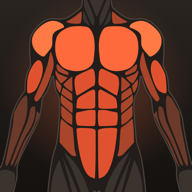
Two chest days and one back day shows up as a warm front and a cool back within a fortnight.
Muscle map
A body that shows what you trained.
Charts tell you how much you lifted. The muscle map tells you where. Every set you log lands on the muscles the exercise works, and by the end of the week the front and back body show exactly which groups got enough and which got nothing.
17 muscle groups, front and backPlay the week day by dayLast-trained view
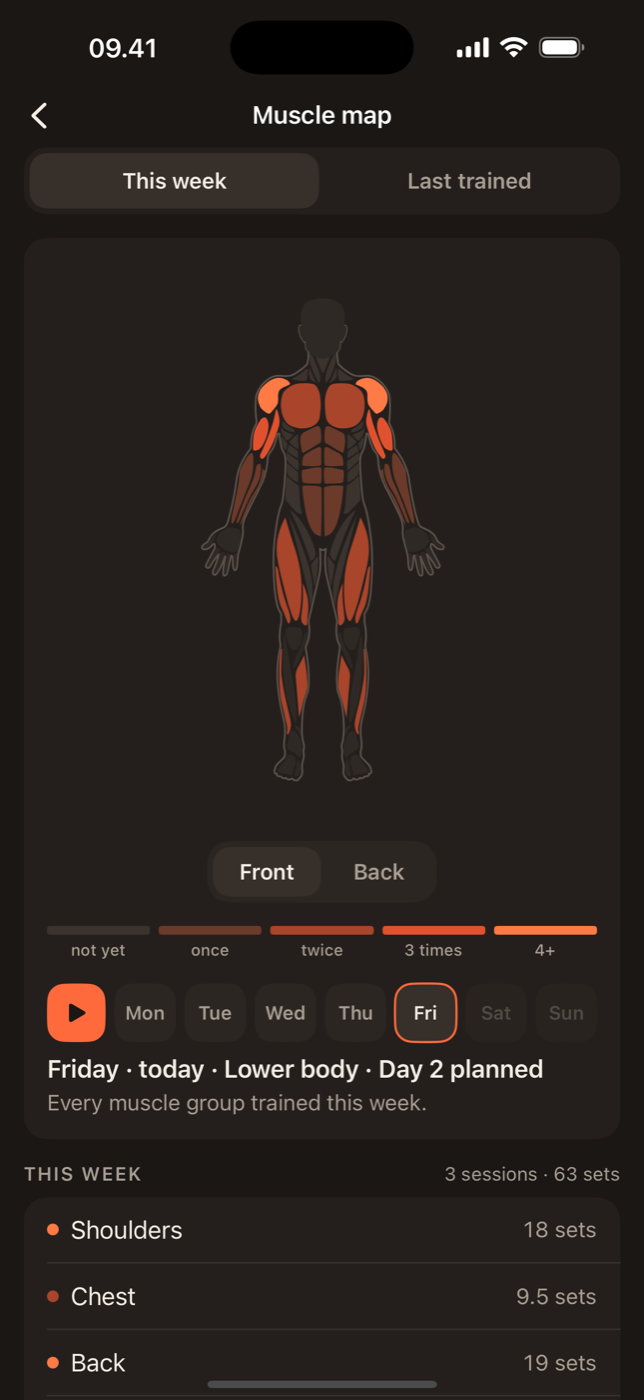
How a set becomes colour
Each of Lift's 876 exercises has one primary muscle and a short list of helpers. A bench press is primary chest, with shoulders and triceps helping. When you tick a set, the primary muscle gets one full set and each helper gets half. Lift calls the total for a muscle its effective sets for the week.
The map then colours each muscle on a ramp from grey, for nothing this week, to bright orange at twelve or more effective sets. Twelve is not a magic number, it is the point where most weekly volume recommendations for growth start, so the map is bright when a muscle has had a proper week. The sets-per-week guide explains where that range comes from.
Front and back, because pressing is easy to overcount
Most people can name what they did to their chest and arms. Fewer can say how their rear delts or hamstrings did. The back view sits next to the front, at the same scale, so an unbalanced week is visible without reading a single number. If the front glows and the back stays grey, next week starts with rows.
Play the week
Drag across the day strip above the map and the colour builds from Monday to Sunday. Rest days show as a pause, not a gap, so a Wednesday off does not look like a failure. Watching the map fill is a quick way to notice that a plan front-loads one muscle and leaves another for a day you tend to skip.
Last trained
Flip the map to the last-trained view and the colours mean time instead of volume: bright for muscles worked today, fading over two weeks to grey. This is the view to check before an unplanned session. Whatever is coldest is the answer to “what should I train?”
The same art as the app
The body on this page is drawn from the same path data Lift ships with, so what you see here is what you get on the phone and on the web dashboard. Lift Pro keeps every week's map, so you can scroll back through a training block and see how the balance changed.
Last trained view
2+ weeks agoToday
In practice
What people use the map for.
The last-trained view answers the question when you have an hour and no plan.
Run a plan for a week and the map shows whether it hits everything you wanted it to.

Lift: Workout & Gym Tracker
See your own week in colour.
Log this week's sessions in Lift and the map draws itself. Free on iPhone.